
Google Flow APK (2026): Cinematic AI Videos on Your Phone!
🔮 The Future-Prediction Hook:
By the end of 2026, the next viral indie film won’t be shot on a $50,000 RED camera. It will be entirely prompted, directed, and edited from a smartphone screen. Welcome to the era of Google Flow—the unified AI filmmaking studio that puts Hollywood-grade rendering right in your pocket.
Let’s be honest: trying to make AI videos on your phone used to be a nightmare. You would generate one cool 3-second clip, but when you tried to make the next scene, the main character suddenly looked like a completely different person.
That all changed this year. At Google I/O 2025, Google unveiled Flow—a massive leap forward that positioned itself as the ultimate Sora competitor. By early 2026, Flow was officially integrated into Google Workspace. It is not just a random clip generator; it is a full non-linear editing system (NLE) that uses the hyper-realistic Veo 3.1 model.
But here is the confusing part: If you search the Google Play Store right now for a “Google Flow APK,” you are going to find a lot of junk. I’m going to mentor you through the exact, safe workflow to get this powerful AI studio running beautifully on your Android device today.
The Evolution: From Glitchy Pixels to Cinematic Flow
To appreciate Flow, you have to remember where we started. If you look at the history of generative AI, 2023 was the year of weird, morphing AI video. The physics were broken, and hands had seven fingers.
By 2024, Google introduced the first Veo models, which finally understood how gravity and light should work in a digital space. However, the tools were scattered. You had to use ImageFX for pictures and VideoFX for motion. Finally, in 2026, Google consolidated everything into Google Flow. According to historical records from Google’s own innovation blogs, this marked the shift from “prompting” to actual “filmmaking.” It allowed users to stitch 3-second clips into 60-second cohesive movies right from their browsers.
The “Google Flow APK” Myth: How to Actually Install It
Google Flow is currently built as a highly responsive Progressive Web App (PWA). This is actually great news for your phone’s storage. You don’t need to deal with a download pending error. Here is the exact workaround to get it on your home screen:
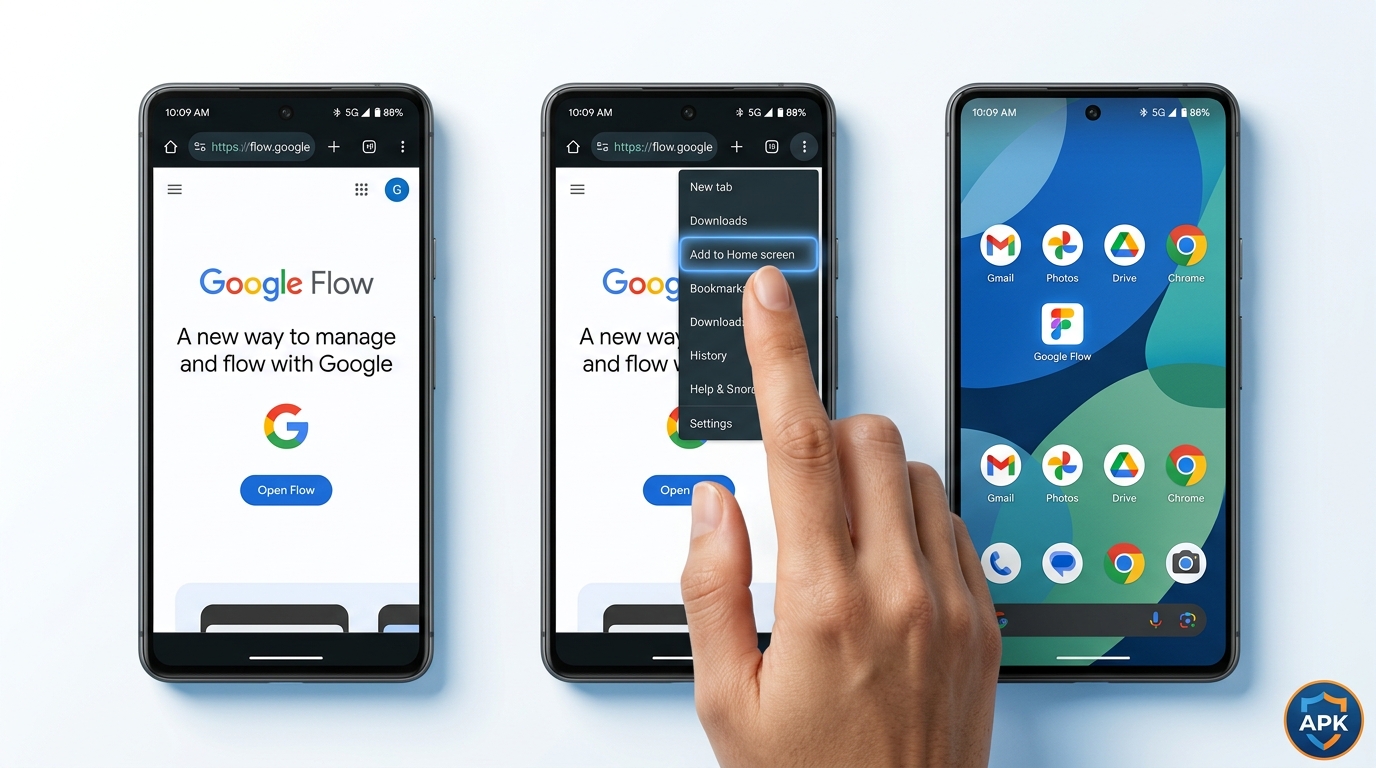
- Open Google Chrome on your Android phone and navigate to
labs.google/flow. - Sign in with your Google Workspace or standard Gmail account.
- Tap the three-dot menu in the top right of Chrome and select “Add to Home screen”.
Just like that, you have a native-feeling app icon that launches the full Flow studio in full-screen mode, bypassing the need to install messy XAPK files.
The Magic Engine: Veo 3.1 and Perfect Character Continuity
What makes Flow special isn’t just the sleek UI; it’s the engine underneath. By default, Flow utilizes the Veo 3.1 model (and occasionally the experimental Nano Banana Pro). This model solves the biggest headache in AI video: Character Consistency.
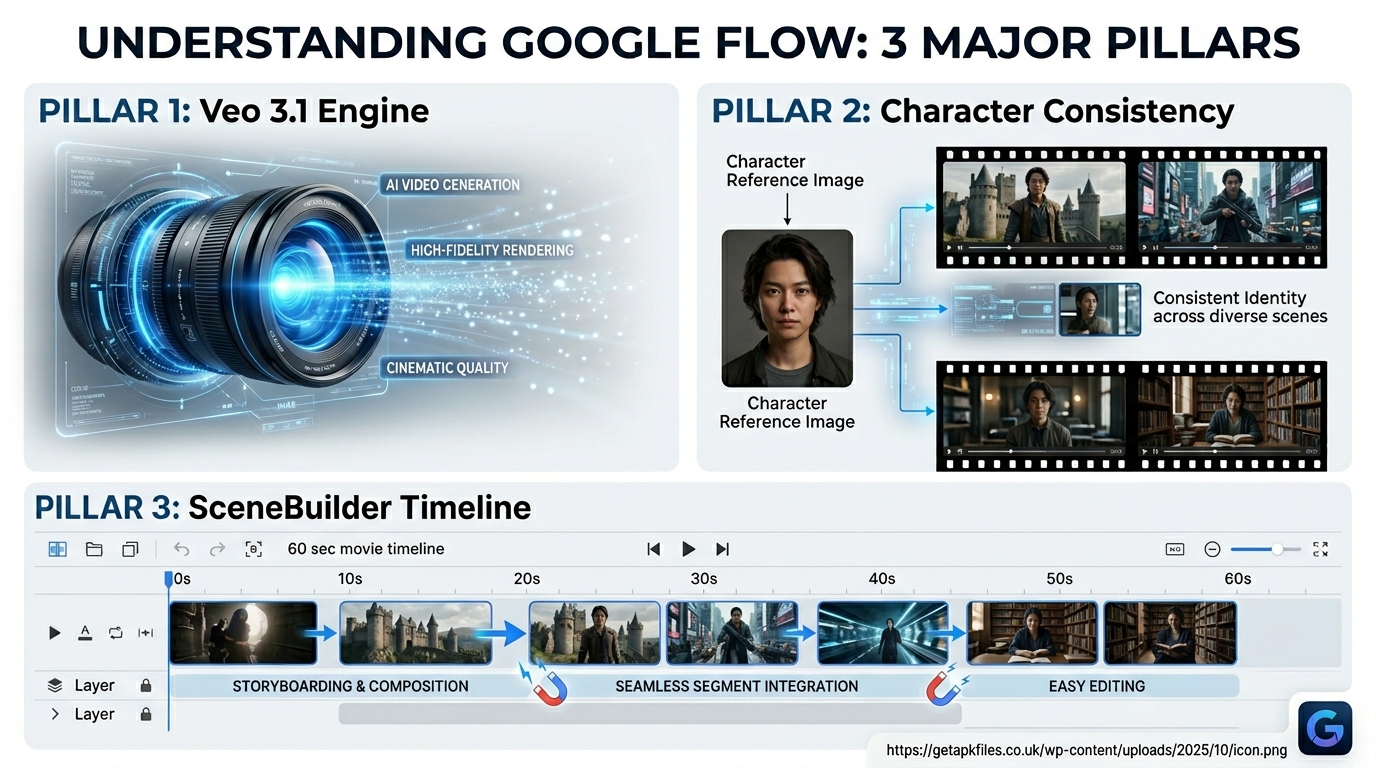
Instead of just typing text, Flow allows for “Ingredients to Video”. You can upload an image of your protagonist, an image of a background (let’s say, a neon cyberpunk city), and tell Flow to animate them together. If you want to continue the shot, you use the “Frames to Video” feature. You lock the ending frame of your first clip, and Flow uses it as the starting frame for the next clip. The protagonist’s face stays exactly the same. No more morphing!
Building Movies with the SceneBuilder Timeline
Once you generate your clips, where do they go? Unlike older tools that just gave you a download button, Flow features a built-in SceneBuilder. Think of it as a simplified version of Premiere Pro or CapCut, right inside your browser.
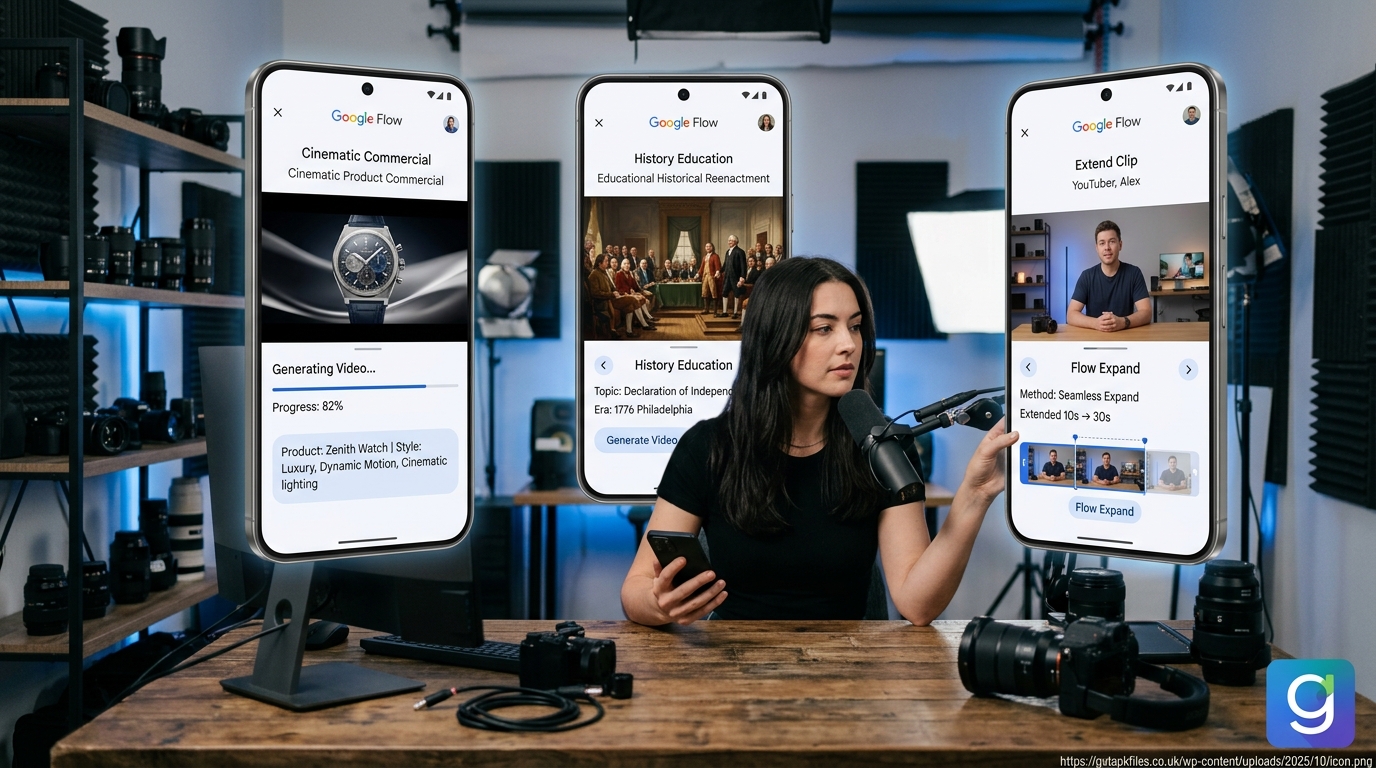
You can drag and drop your 5-second generations onto a timeline. If a clip ends too soon, you hit the “Extend” button, and Veo will hallucinate the next 5 seconds perfectly matching the camera movement. You can stitch together up to 60 seconds of continuous, high-definition storytelling, complete with AI-generated audio soundscapes.
Mastering Mobile Filmmaking: Prompts & Camera Controls
To get Hollywood results, you have to talk like a director. A prompt like “a guy walking” will give you generic stock footage. Instead, use this mentor-approved formula:
Example: “A weary detective in a trench coat + walking slowly + down a rain-slicked alleyway + illuminated by flickering pink neon signs + low angle tracking shot panning right.”
Furthermore, the 2026 update added incredible in-app editing. If there is a weird artifact in your video (like a floating coffee cup), you don’t need to re-render. Just use the Lasso Tool to circle the cup, and type “remove.” Flow will cleanly erase it and fill in the background, similar to how AI background removers work, but for moving video!
Comparative Review: Flow vs. The Competition
How does Google Flow stack up against alternatives like Leonardo’s Veo 3 integration or OpenAI’s Sora? Let’s look at the numbers.
| Feature/Metric | Google Flow (Veo 3.1) | Leonardo AI (Veo 3 Fast) | Standalone Sora |
|---|---|---|---|
| Mobile UI Experience | Excellent PWA with touch-friendly SceneBuilder timeline. | Cluttered UI, mostly optimized for desktop browsers. | Heavy rendering, not optimized for low-end mobile. |
| Audio Integration | Native AI audio generation synced to video. | Requires third-party tools for soundscapes. | Limited native audio support. |
| Pricing Model | Freemium. Pro unlocks 1000 credits for $19.99/mo. | Tiered subscription starting at $12/mo. | High-tier enterprise pricing. |
For mobile users, Flow wins easily. The fact that you don’t need a high-end PC to render these videos—because Google’s cloud servers do all the heavy lifting—means your Galaxy S26 or Pixel phone is now a portable Hollywood studio.
Expert Multimedia Tutorials
Flow Studio UI Update: A comprehensive breakdown of the new SceneBuilder, showing how to use the “Frames to Video” feature to guarantee character consistency across multiple clips.
Mobile Veo 3 Workflow: A great beginner’s guide on how educators and students are using Flow to turn text prompts into high-definition educational videos without spending any money.
Upgrade Your Mobile Editing Bay
While Google Flow handles the AI generation, you still need a great device to preview and organize your cinematic clips. Upgrade your mobile workflow with a stylus-equipped tablet for precise timeline editing.
Check Tablet Prices Disclosure: This post contains affiliate links. We may earn a commission at no extra cost to you.Deep Dive: Interactive Flow Mastery
Ready to level up? We ran Google’s technical documentation through NotebookLM to create these interactive study guides. Master cinematic prompting today!
Final Expert Verdict: Is Flow the Best Mobile Video AI?
If you are a mobile creator tired of jumping between five different apps just to make a 30-second reel, Google Flow is the answer. It successfully brings the raw power of the Veo 3.1 model to your smartphone via a brilliant PWA interface.
While I highly recommend avoiding the fake “Flow” APKs floating around the internet, taking 30 seconds to add the official web app to your Android home screen will revolutionize your content creation. The SceneBuilder, combined with “Frames to Video” character consistency, makes this a must-have tool for any serious digital artist in 2026. Stop comparing specs and start creating!
Download Google Flow APK: Cinematic AI Videos on Your Phone! APK
Safe, verified, and scanned for viruses.
Leave a Reply