
Android 17 Leaks: Release Date & New Features
Android 17 is still months away from a stable rollout, but code dives, QPR betas, and insider leaks already reveal how Google plans to reshape Android again in 2026 with “Cinnamon Bun,” split Quick Settings, and deep Gemini AI hooks.
Android 17 Audio & Visual Overview
Prefer listening or watching before reading a deep-dive? Use this quick multimedia hub, then scroll into the full expert review below.
This overview video condenses the major Android 17 leaks — from the dual-shade Quick Settings panel to Material 3 Expressive and Local Network Protection — into a short visual briefing before you dive into details.
Android 17 is not just another yearly paint job. It builds on Android 16’s QPR experiments and aims to lock in a faster, more modular release cadence where big UI and security changes can roll out to Pixels first, then land for everyone else as part of the next platform update. [web:173]
That means many of the “Android 17 features” you see in headlines actually live today inside Android 16 QPR betas on Pixel devices — a pattern Google has leaned into since 2023 to test ambitious ideas before they become platform standards. [web:173]
How Android Updates Got Here: 12 to 17
To understand Android 17’s leaks, you have to understand how Google’s update philosophy shifted between Android 12 and Android 16.
- Android 12–14: Material You and annual “big bang” launches with heavy UI changes once a year.
- Android 15: First real decoupling of platform version from Pixel hardware launch, giving the OS its own calendar. [web:173]
- Android 16: Formalized QPR (Quarterly Platform Release) track with major SDK in Q2 and minor in Q4, seeding future Android 17 features early. [web:173]
Android 17 follows that new model: its bones are already visible inside Android 16 QPR betas, long before the 2026 stable rollout. [web:173]
Android Authority’s long-form analysis explains how QPR betas now act as a “future features incubator,” letting Google slip in pieces of Android 17 like Local Network Protection, notification summaries, and desktop mode into 16 betas first. [web:173]
This is a major shift from the old monolithic style described in earlier Android documentation and archive material, where almost everything waited for a single autumn platform drop.
Android 17 in 2026: Release Window & SDK Roadmap
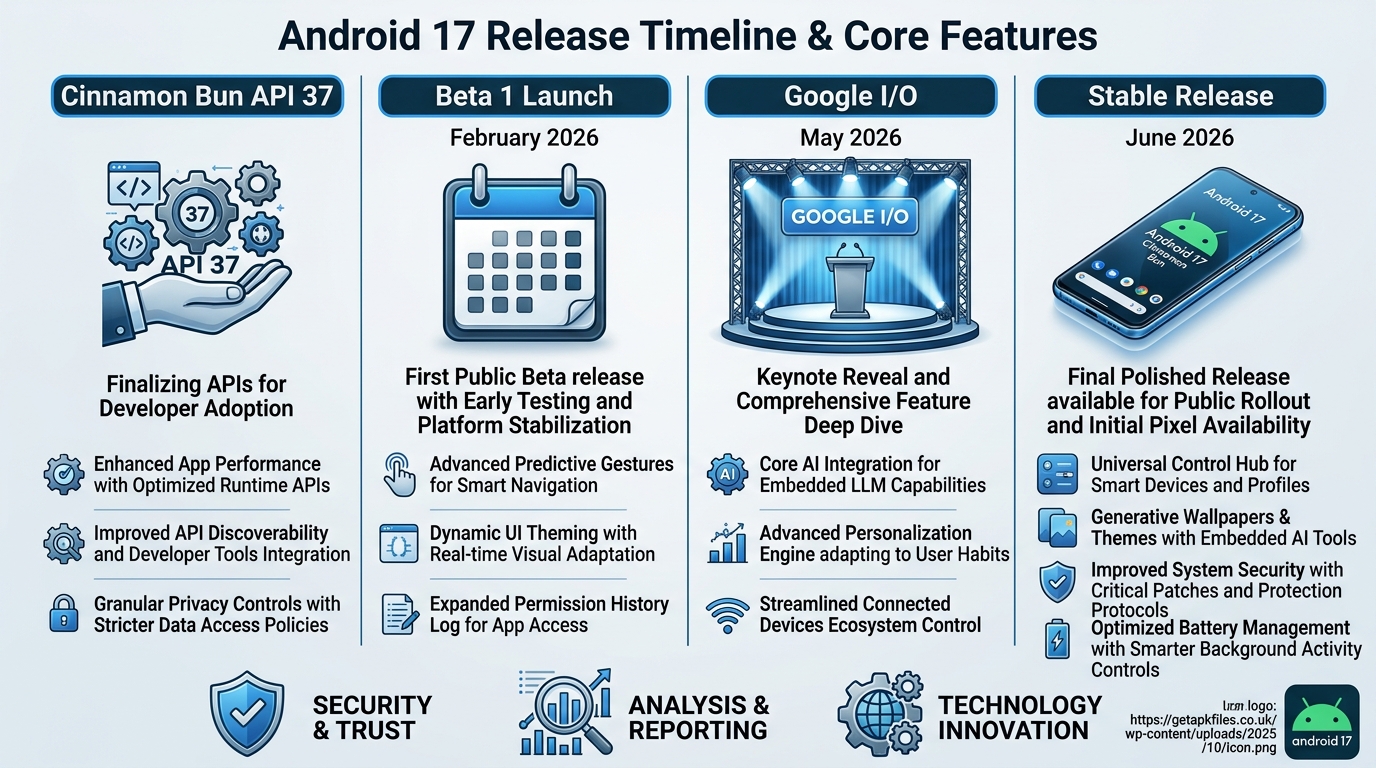
Google has not slapped an official date on Android 17 yet, but based on public SDK roadmaps and what Android 16 did, most credible reporting points to a major SDK release in Q2 2026, followed by a minor SDK refresh in Q4 2026. [web:173][web:174]
Android 16’s Developer Preview arrived in November, and Android 17’s first Developer Preview is expected to follow the same pattern in November 2025, giving OEMs half a year lead time before the broader 2026 rollout. [web:173]
Pixel vs OEM Adoption
NokiaPowerUser and other trackers expect Pixel phones to get Android 17 first, with many mainstream devices seeing stable builds in the second half of 2026, once OEM skins like One UI and ColorOS finish integrating API level changes. [web:174]
A recent report even suggests Samsung is already aligning One UI 9 beta cycles with Android 17’s finalized framework, hinting at a much shorter gap between Google’s code drop and OEM rollouts compared to earlier versions. [web:209]
Big UI Overhaul: Split Shades, Expressive Animations
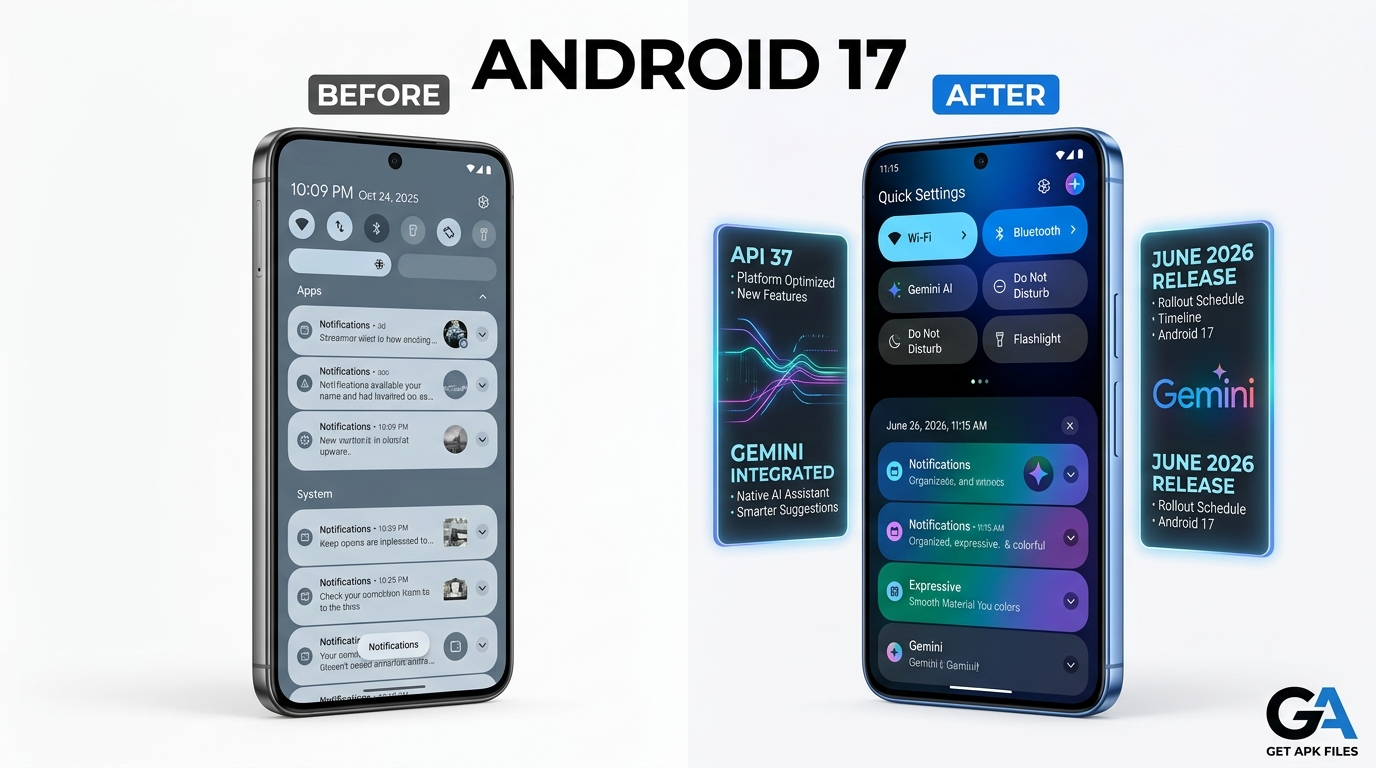
One of the most talked‑about Android 17 leaks is the dual‑shade Quick Settings and Notifications UI, first spotted in Android 16 betas and now shown running on foldables and tablets in newer builds. [web:173][web:210]
Dual-Shade Quick Settings & Notifications
A detailed Android Authority leak shows Google’s dual‑shade layout: swiping from the left side focuses on notifications, while swiping from the right opens Quick Settings, especially on larger inner displays. [web:210]
The leak also indicates that large‑screen devices — tablets and foldables — may not get a toggle to revert to the old unified shade, locking them into this new split behavior by design. [web:210]
This design mirrors what Samsung, Xiaomi, and OnePlus have already been doing on their skins, but now it becomes part of base Android, making it much easier for OEMs to rely on upstream behavior instead of custom hacks. [web:210]
At the same time, Google’s Material 3 Expressive project promises new icon shapes, blur-heavy backgrounds, and springier animations, which have been demoed for Android 16 QPR1 and are expected to arrive on non‑Pixel devices with Android 17. [web:173]
Security Deep-Dive: Intrusion Logs, Local Network Protection
Android 17’s leaks aren’t just about pretty UI. Several under‑the‑hood changes show Google pushing harder on account theft, factory reset abuse, and LAN‑based attacks. [web:173]
Intrusion Logging & Stronger Factory Reset Protection
Intrusion Logging, introduced with Android 16, collects encrypted activity logs such as USB events, app installs, and network history, storing them in a protected Google Drive area that only the owner can read. [web:173]
Android Authority notes the APIs are already present now but not fully wired through Google Play Services, meaning the full rollout could align with Android 16 QPRs and then become standard by Android 17’s global release. [web:173]
Factory Reset Protection is also due for an upgrade that repeatedly forces setup on suspicious resets until the real owner proves control, closing long‑standing loopholes used on stolen phones. [web:173]
Local Network Protection
Another key change, flagged in Android 16 Beta 3, is Local Network Protection, which will require apps to request explicit permission before they can scan or talk to devices on your LAN instead of treating LAN access as “free” under the generic INTERNET permission. [web:173]
Google describes it as a feature planned for a “future major Android release,” and many observers expect it to be one of Android 17’s headline security additions once developers have tested against it in 16 betas. [web:173]
Gemini-Powered Magic Actions & Notification Summaries
Android 9 introduced Smart Reply and Android 10 expanded that into Smart Actions, offering canned suggestions beneath notifications, but those on‑device models have always been limited to short, simple responses. [web:173]
Code strings uncovered in Android 16 builds hint at “Magic Actions,” a more advanced system‑level capability likely to lean on Gemini for richer, context‑aware actions and summaries in Android 17. [web:173]

Notification Summaries
Strings in Android 16 betas reference a new “notification summaries” section that can automatically summarize conversation notifications from supported messaging apps, with per‑app exclusions. [web:173]
That behavior matches Google’s broader push to fold Gemini into daily workflows, and many analysts expect the full version of this feature to debut as part of Android 17’s finalized notification experience. [web:173]
This leak-focused video visually confirms several UI pieces discussed here — including the refined split panel behavior and subtle Material 3 Expressive tweaks that likely ship with Android 17.
Desktop Mode, Hub Mode & Large-Screen Ambitions
Android’s experimental desktop mode has existed for a while, but Android 16 Beta 4 finally showed a usable taskbar, proper window controls, and multi‑window layouts when connecting a Pixel to an external monitor. [web:173]
Android Authority notes this feature still needs work and is expected to continue maturing through 16 QPRs, with a more polished version likely bundled into Android 17 as a headline capability for productivity‑minded users. [web:173]
Leaks also hint at a “Standby for Hub Mode,” inspired by iOS’s Standby, where docked devices can act as glanceable smart displays with widgets and screen savers, a change that would mesh neatly with Android 17’s focus on foldables and tablets. [web:173]
In most breakdowns, desktop mode and hub‑style standby are treated as early experiments today, but they are strong candidates to be marketed as “new desktop features” once Android 17 is stable. [web:173]
Android 17 vs Android 16: Feature Impact Review
To judge Android 17 fairly, it helps to compare it in context: which improvements genuinely change daily use, and which are incremental refinements building on Android 16’s groundwork. [web:173][web:210]
| Area | Android 16 (QPR) | Android 17 (Expected) | Impact Verdict |
|---|---|---|---|
| Quick Settings / Notifications | Unified shade, split variant hidden in QPR betas. [web:173] | Dual‑shade interface on large screens, less ability to revert on tablets/foldables. [web:210] | High impact for big‑screen ergonomics, divisive for UI purists. |
| Material 3 Expressive | Rolls out first to Pixels via 16 QPR1. [web:173] | Arrives for most OEMs via Android 17, making expressive theming mainstream. [web:173] | Medium impact; cleaner, more modern look across ecosystem. |
| Security & Network | Intrusion Logging APIs present, Local Network Protection testable. [web:173] | These features likely enabled by default, raising baseline security. [web:173] | High impact, especially for enterprise and privacy‑focused users. |
| AI & Notifications | Smart Actions and early strings for Magic Actions/ summaries. [web:173] | Full Magic Actions and notification summaries expected, with deeper Gemini tie‑in. [web:173] | Medium–high impact; could reshape how users triage alerts. |
| Desktop & Hub Modes | Rough desktop mode preview in 16 Beta 4; limited. [web:173] | More polished desktop experience and standby‑style hub mode likely pushed as flagship “new” features. | High impact for power users, modest for casual users. |
Recommended Device for Android 17
If you want day‑one Android 17 access plus the cleanest experience of Material 3 Expressive and Gemini features, a current‑gen Pixel is still the safest bet. It also receives QPR betas months before other brands.
Check Price for Pixel with Android 17 Disclosure: This post contains affiliate links. We may earn a commission if you buy through our links, at no extra cost to you.Related Guides & Official Sources
On GetAPKFiles
Historical & Technical Context
Android 17: Quick FAQ
Final Verdict: How Big of a Jump Is Android 17?
Looking across the leaks and QPR breadcrumbs, Android 17 reads less like a wild reinvention and more like the consolidation of two years of experiments: Material 3 Expressive, stronger reset protection, Local Network Protection, and smarter notification handling all move from Pixel‑only previews into the mainstream Android stack. [web:173][web:210]
If you care about security, large‑screen usability, or tighter AI integration through Gemini, Android 17 is shaping up as a meaningful upgrade. If you prefer the old unified shade and minimal animations, it might feel like Google doubling down on changes you were already skeptical about — but that’s exactly why keeping an eye on the beta feedback over the next few months will matter.
Download Android 17 Leaks: 2026 Release Date & New Features APK
Safe, verified, and scanned for viruses.
Leave a Reply